Skip to content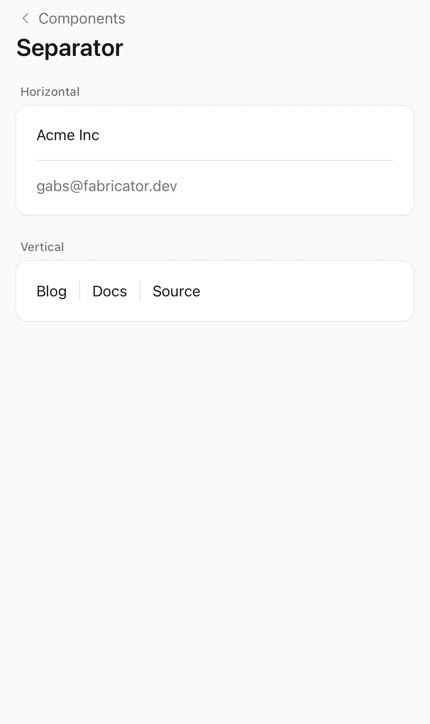
separator-example.tsx
Visually or semantically separates content.
Installation
Usage
import { Separator } from "@/components/ui/separator"
import { Text } from "@/components/ui/text"<Text>Acme Inc</Text>
<Separator orientation="horizontal" />
<Text className="text-muted-foreground">gabs@fabricator.dev</Text>Examples
import { View } from "react-native"
import { Separator } from "@/components/ui/separator"
import { Text } from "@/components/ui/text"
function SeparatorExample() {
return (
<ExampleWrapper>
<Example title="Horizontal" className="items-stretch">
<Text>Acme Inc</Text>
<Separator orientation="horizontal" />
<Text className="text-muted-foreground">gabs@fabricator.dev</Text>
</Example>
<Example title="Vertical">
<View className="h-5 flex-row items-center gap-3">
<Text>Blog</Text>
<Separator orientation="vertical" />
<Text>Docs</Text>
<Separator orientation="vertical" />
<Text>Source</Text>
</View>
</Example>
</ExampleWrapper>
)
}
export { SeparatorExample }API reference
Props it adds to what it wraps: orientation.
Differences from web
Same. It works as it does on the web, with onPress for onClick.
Accessibility
Parts set role="separator", read by VoiceOver and TalkBack. Give a control with no text an accessibilityLabel.