Skip to content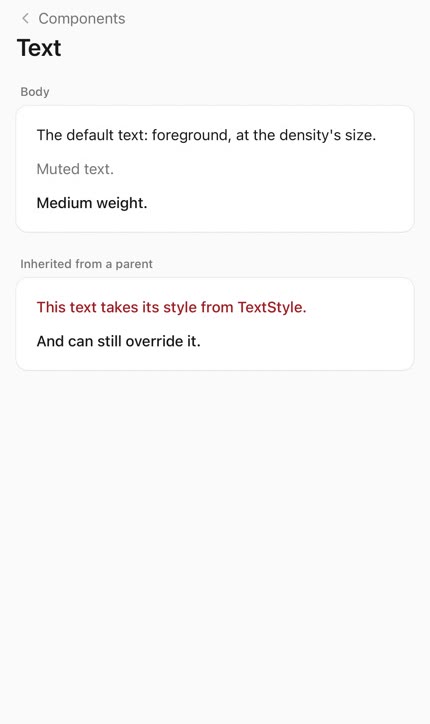
text-example.tsx
React Native draws text only inside Text; this one follows the theme and its control.
Installation
Usage
import { Text, TextStyle } from "@/components/ui/text"<Text>The default text: foreground, at the density's size.</Text>
<Text className="text-muted-foreground">Muted text.</Text>
<Text className="font-medium">Medium weight.</Text>Composition
TextTextClassContextTextStyle
Examples
import { Text, TextStyle } from "@/components/ui/text"
function TextExample() {
return (
<ExampleWrapper>
<Example title="Body">
<Text>The default text: foreground, at the density's size.</Text>
<Text className="text-muted-foreground">Muted text.</Text>
<Text className="font-medium">Medium weight.</Text>
</Example>
<Example title="Inherited from a parent">
<TextStyle className="font-medium text-destructive-text">
<Text>This text takes its style from TextStyle.</Text>
<Text className="text-primary-text">And can still override it.</Text>
</TextStyle>
</Example>
</ExampleWrapper>
)
}
export { TextExample }API reference
Props it adds to what it wraps: eases.
Accessibility
Text is read as it appears. Give a control with no text an accessibilityLabel.